Pinterest SEO for Beginners: How to Get Found in Pinterest Search and Turn Pins Into Website Traffic
Learn how to optimize Pinterest search, create clickable Pins, grow website traffic, and build an Amazon affiliate content strategy.
By Lola’s Mom · September 13, 2026 · 11 min read
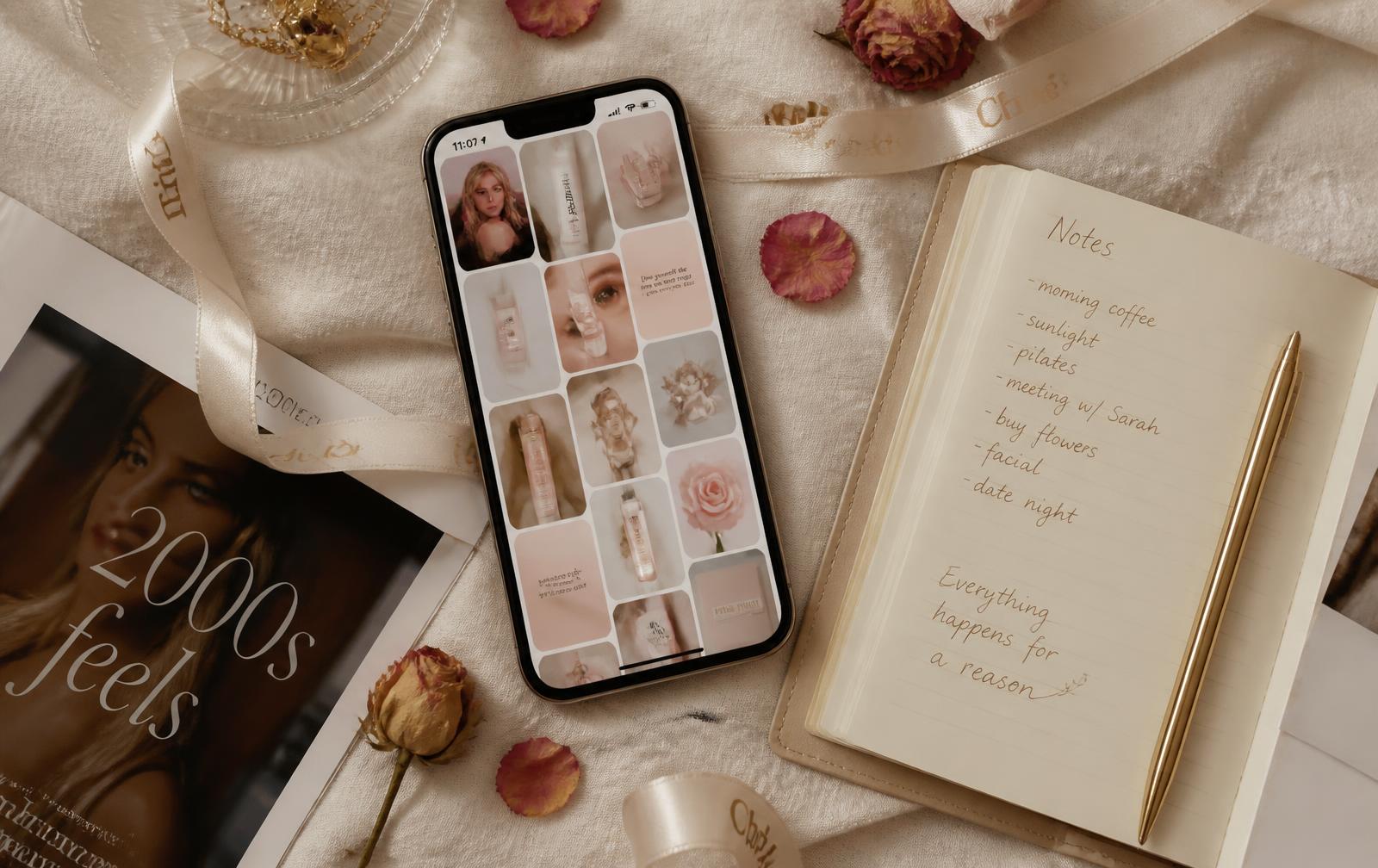
Short version: Pinterest is a visual search engine, not a social feed. You get found by matching real search language in your pin titles, descriptions, boards, alt text and the article you link to — and you keep getting found by publishing original, genuinely useful pages instead of recycling the same pin twelve times.
I learned this the slow way. For months I treated Pinterest like Instagram: pretty pictures, clever captions, no keywords, no plan. Nothing happened. Then I started writing pins the way I write search-optimized articles — plain words a real person would type into the search bar — and my traffic changed shape entirely.
This is the whole method, start to finish, in the order I would teach it to a friend over coffee.
How does Pinterest SEO work?
Pinterest matches a searcher's words to the words on your pin, your board and the page you link to. Put your keyword in the pin title, pin description, board name, alt text, page title and URL, then link every pin to one genuinely useful article. Consistent, original pins on keyword-organized boards get distributed; recycled duplicates do not.
How Pinterest search actually works
When someone types fall nail colors into Pinterest, the platform looks for text that matches: the words in pin titles, the words in pin descriptions, the name of the board a pin was saved to, the alt text on the image, and the title and description of the website page the pin links to. It also weighs how people behave — do they click, save, and stay on the page they land on?
That gives you two jobs. The first is being legible: saying plainly, in words, what a pin is about. The second is being worth clicking: sending people to a page that answers what they came for so the signals feed back positively.
Unlike Instagram, Pinterest content has a long tail. A pin published today can bring traffic in eighteen months, because search results are evergreen. That is why keyword-led pinning compounds while trend-chasing does not.
How to choose keywords (without any paid tools)
Open the Pinterest search bar and start typing your topic. The suggestions that drop down are real searches, ranked by volume. Type nail and you will get nail ideas, nail designs autumn, nail inspo simple. Those are your phrases, handed to you.
Then search the phrase and look at the coloured tiles across the top — the guided-search filters. Those are the modifiers people combine with your keyword: short, almond, classy, at home. Pair one modifier with your core topic and you have a long-tail keyword with far less competition: not nails but simple almond nails at home.
Pick one primary keyword per article and three to five supporting phrases. Write them in a note before you design anything. Everything else in this guide is just placing those words correctly.
Where to put your keywords
Pin title — the primary keyword near the front, in natural language. Simple Almond Nails You Can Do at Home, not NAIL INSPO ✨.
Pin description — two or three sentences using the primary keyword once and two supporting phrases naturally. Describe what the reader gets by clicking.
Board name — a keyword, not a joke. Fall Nail Ideas beats Tips & Tricks. Boards are context: a pin saved to a keyword-named board is easier to classify.
Page title and URL — the article you link to should carry the same keyword. A pin about DIY nails pointing at a page titled DIY Nails at Home Like a Pro with a matching slug is unambiguous.
Headings and alt text — use the phrase in one H2 and describe the image literally in alt text. Alt text is accessibility first and search second; write it for a person who cannot see the photo.
One rule: no keyword stuffing. Repeating the phrase six times reads as spam to people and to the algorithm.
Designing pins that Pinterest wants to show
Vertical, always: 1000 × 1500 pixels (a 2:3 ratio) is the standard. Taller pins get cropped, square pins get lost.
Legible text on the image matters more than beauty. A short overlay — five to eight words in a serif you can read on a phone at arm's length — tells a scroller what the pin promises before they read the title.
Keep contrast high and clutter low. Bright, well-lit photos with breathing room out-perform dark, busy collages. If you shoot your own images, natural window light plus a plain surface beats any filter.
Add your site name small in a corner. It builds recognition over months, and it discourages the accounts that lift pins wholesale.
Writing pin titles and descriptions people click
A good title names the outcome and the constraint: Casual Blazer Outfits: 9 Ways to Style One Blazer. The number sets an expectation, the constraint (one blazer) makes it feel achievable.
A good description does three small jobs: repeats the search phrase, adds the specific value (with a printable checklist, under $25, no salon needed), and gives a soft reason to click now. No clickbait — a pin that overpromises gets a fast bounce, and bounces cost you distribution.
Avoid hashtag walls. Pinterest is not driven by hashtags; sentences with keywords work better.
Organizing boards by search intent
Boards are how you tell Pinterest what your account is about. Build them around what someone is trying to accomplish, not around your own categories.
Five to fifteen focused boards beat fifty vague ones. Each board gets a keyword name and a two-sentence description using two or three related phrases. Then only pin on-topic content to it — a stray recipe in a nail board muddies the signal.
Sections are useful inside a big board (Fall Nails → almond, chrome, French), but do not start there. One clean board per topic first.
Article Rich Pins: letting your website do the talking
Rich Pins pull information straight from your site's metadata, so an article pin can show your headline, description and author under the image. They make a pin look editorial rather than random, and they keep the text accurate even when someone else saves your pin.
They work by reading structured data and Open Graph tags on the page: the article title, description, author, published date and featured image. If a page has those, it is technically ready — you then validate the URL once through Pinterest's own validator, and Pinterest enables Rich Pins for the whole domain.
Every article on this site is built with that metadata in place, which is why the pins carry the headline. Being ready to validate is not the same as being approved — only Pinterest can confirm that step, and it takes one submission.
Connecting pins to pages that are actually useful
The fastest way to waste good pins is to send everyone to your homepage. Link to the exact article that answers the pin's promise, and make the top of that article deliver within one screen: a direct answer, then the detail.
If a pin promises nine blazer outfits, the page opens with nine blazer outfits. If it promises a checklist, the checklist is visible without hunting. This is the part people skip, and it is the part that decides whether Pinterest keeps sending traffic.
Internal links matter too. One relevant link out of every article to another article keeps a Pinterest visitor reading instead of bouncing back to the feed.
Creating multiple original pin designs — the right way
One article deserves several pins, because different images catch different people. But original is the operative word: change the photo, change the text overlay, change the angle of the promise. Three genuinely different designs for one article is a strategy. The same image posted eleven times is spam, and Pinterest treats it that way.
I keep a simple naming system — variation 1, 2, 3 — and give each one its own campaign tag in the link so I can see which design earned the traffic. Space them out: one variation now, another in a few weeks.
Building content clusters instead of one-off posts
Search engines and Pinterest both reward depth. Pick five pillars and write repeatedly inside them. Mine are beauty, nails, style, soft living and shopping guides.
A cluster looks like this: one broad guide (at-home manicures), then narrower articles that link back to it (HEMA-free gel, press-on nails, nail care between manicures). Each narrow article gets its own keyword and its own pins, and together they make the pillar rank.
This is also how you avoid the treadmill of publishing constantly. Ten thorough articles in a cluster out-earn fifty thin posts scattered across unrelated topics.
Tracking Pinterest traffic honestly
Tag every pin link so you know where visitors came from. The convention is simple: `utm_source=pinterest`, `utm_medium=organic`, `utm_campaign=` the article slug, and `utm_content=` the pin variation number. Then your own analytics can tell you which pin brought which reader.
Watch three numbers, not twenty: outbound clicks from Pinterest to your site, which articles those visitors read, and what they do next — subscribe, or click through to a product.
One honesty note about affiliate income: click data lives on your site, but confirmed sales and commissions only exist in your Amazon Associates reports. Anyone who tells you a dashboard can see your Amazon purchases from the outside is guessing.
Turning Pinterest visitors into subscribers and shoppers
Pinterest traffic is curious but cold. Give it a small, specific next step: a printable checklist, a shade guide, a one-page routine. That is what earns an email address — not a generic subscribe for updates.
For shopping, be useful before you are commercial. Explain what a product is, who it suits and who should skip it, then link out with a clear label. Every affiliate link here is marked as an affiliate link, opens in a new tab, and carries the disclosure — as an Amazon Associate I earn from qualifying purchases — because trust is the whole asset.
Prices and availability change after publishing, so I write about what a product does rather than quoting numbers that will be wrong by winter.
Why original, helpful content is the safer bet
Both Pinterest and Google have spent years getting better at spotting volume-over-value publishing: duplicated pins, thin pages built only to hold affiliate links, articles that repeat a keyword without saying anything.
Original content is also the only thing that compounds. A first-hand article — the mistake you made, the routine that worked, the thing you returned — cannot be scraped from a competitor, and it is what makes someone save your pin instead of just glancing at it.
Publish less, publish specifically, and let each piece earn its pins.
Real Amazon Tools for Creating Better Pins
Everything below is already in the Soft Luxe Finds creator kit — the same gear behind the flat-lays on this site. As an Amazon Associate I earn from qualifying purchases, and every link below is an affiliate link.
You do not need all five. Start with the tripod and the light; those two change your pin quality more than any camera upgrade.
Shop this story
Amazon · Sephora · Ulta · affiliateEvery pick below links straight to Amazon, with Sephora and Ulta as backups if something's sold out.
Creator kit
Phone tripod with Bluetooth remote
“Steady vertical shots at a fixed height, so a whole batch of pins looks like a set instead of a scramble. The remote means you can be in frame.”
Affiliate link — paid link
Creator kit
Clip-on ring light
“Even light is what makes a pin readable on a phone screen. Clips above the camera for tutorials, GRWM clips and evening shooting.”
Affiliate link — paid link
Creator kit
Softbox lighting kit
“The upgrade once you outgrow the ring light — a bigger, softer source with no ring reflection, which flatters both skin and product photos.”
Affiliate link — paid link
Creator kit
Flat-lay backdrop boards
“Two boards give you a season's worth of pin backgrounds on one small table. Marble, linen and cream read best in a pastel feed.”
Affiliate link — paid link
Creator kit
Wireless lavalier microphone
“For Idea Pins and video: people forgive soft footage and never forgive bad audio. Clip on, talk normally, done.”
Affiliate link — paid link
Questions readers ask
How long does Pinterest SEO take to work?
Expect a slow curve rather than a spike. New pins usually get their first distribution within days, but keyword-driven search traffic tends to build over two to three months and keeps growing as long as the linked article stays useful.
How many pins should I make per article?
Two to four genuinely different designs, spaced out over weeks. Different photo, different text overlay, different angle on the promise — not the same image reposted, which reads as spam.
Do hashtags help on Pinterest?
Not meaningfully. Pinterest reads whole sentences, so keywords written naturally into the pin title and description do far more than a block of hashtags.
What size should a Pinterest image be?
1000 × 1500 pixels, a 2:3 vertical ratio. Taller images get cropped in the feed and square ones lose visual space, which lowers clicks.
What are Article Rich Pins and do I need them?
Rich Pins pull your article headline, description and author from the page's own metadata so pins look editorial and stay accurate. They are worth setting up: add the metadata, then validate one URL through Pinterest, which enables them for the whole site.
Can I use affiliate links on Pinterest?
You can, but linking to your own article that contains the affiliate links is more durable and more useful — it lets you explain the product, add the required disclosure and keep the reader on a page you control.
FLEUR45
Some chapters end quietly. Others become the beginning of your rebirth.
Launching October 31, 2026
Keep reading
All posts →- Reviews
The 9 Best Lattafa Perfumes Worth the Hype (2026 Guide)
Khamrah is the gateway. But once you fall down the Lattafa rabbit hole, there are nine bottles that earn the shelf space.
- Reviews
Lattafa Khamrah Review: Is It Really the Best Dessert Perfume of the Decade?
It smells like Eid morning in a bottle. Here's what to expect — and which Khamrah variant earns the shelf space.
- Reviews
Arabic Perfume 101: A Beginner's Guide to Oud, Attars & Mukhallat
Oud, attar, mukhallat, bakhoor — a beauty editor's guide to Arabic perfume traditions, from terminology to the best entry-level bottles.
Editor recommends
Some links are affiliate links — they cost you nothing extra.